
An article catches your attention, then a subscription screen stops you. If an independent archive has a readable copy, WebRewind can help you find it from Safari.
This opens an archived version of the page. It doesn’t unlock the publisher’s subscription or guarantee access to every article.
Set up WebRewind on iPhone and iPad
- Download WebRewind from the App Store and open the app.
- Open Settings → Apps → Safari → Extensions and enable WebRewind. On older OS versions, Safari may be directly in Settings.
- Review website permissions, then return to Safari.
- Visit the original article. Open Safari’s page menu and select WebRewind.
- Start a Rewind. The extension looks for an archived version and navigates to the archive service.
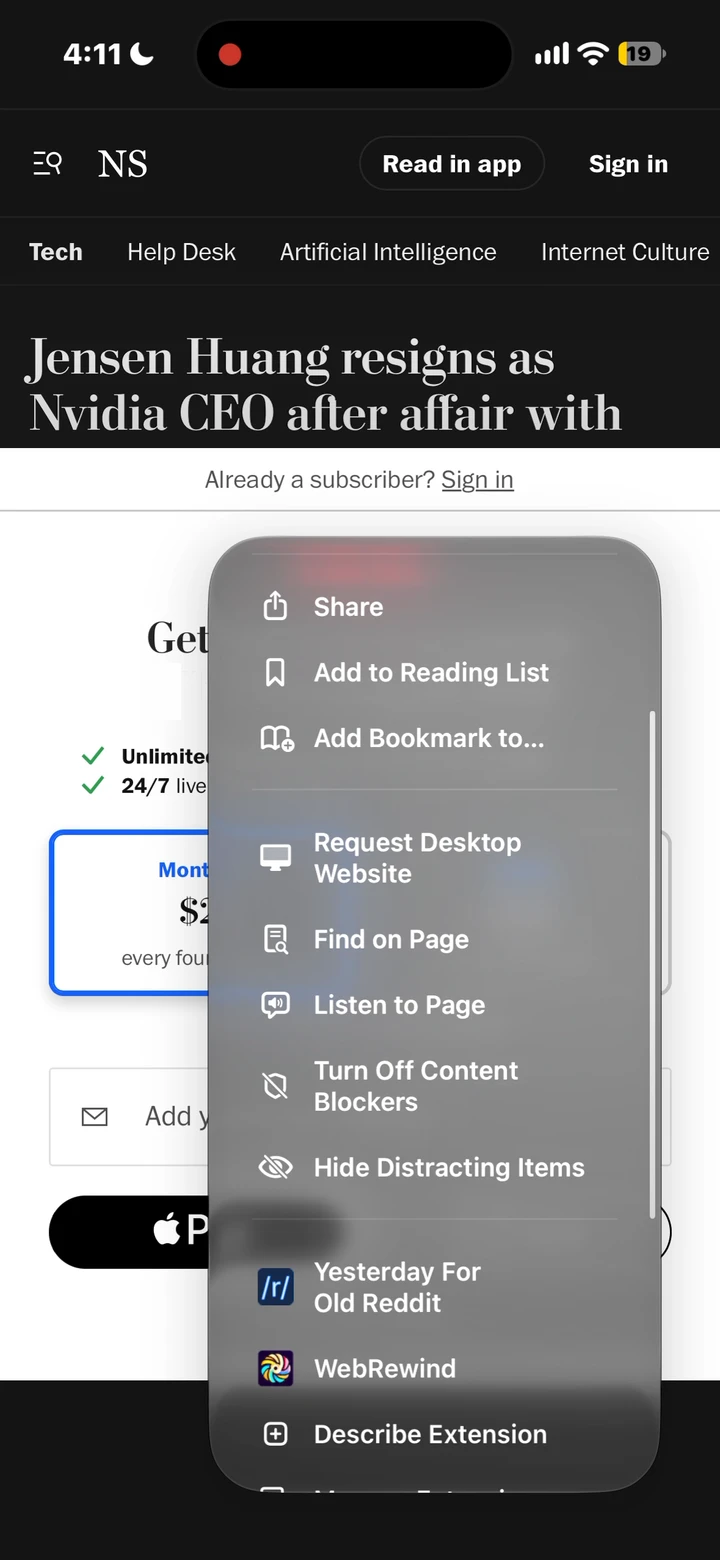 Illustrative workflow in Safari on iPhone; not a demonstration of this publisher.
The screenshot shows the Safari page menu from our product demonstration. Menu names and appearance can vary with your OS version.
Use WebRewind on Mac
Install WebRewind for Mac, open the app, and enable the extension in Safari → Settings → Extensions. Allow the website access needed for the page you’re visiting. Open an article and select WebRewind in the toolbar.
If the icon is missing, review Safari’s extension settings. If the extension is present but cannot act on the page, check the site’s permission. The setup guide walks through both.
What happens to the article?
WebRewind uses the original page address to look for a snapshot on an independent archive service. The archive can have a different layout, older text, missing images, or a paywall of its own. Check the snapshot date before relying on time-sensitive information.
Archive availability and response time vary. A challenge or CAPTCHA may need your attention. Read how archived articles work for the practical details.
If the archive has no readable copy
Confirm that you opened the original article rather than a homepage or search result. Try another archive site in WebRewind’s settings, or return later if the service is busy. A different hostname is not a guarantee of a different snapshot.
For the current publisher version, try a gift link, your library’s access, or a subscription. Troubleshoot missing archives for more options.
Is it free to try?
You can try WebRewind for free on Apple devices. Annual and lifetime options appear in the app. Apple’s purchase screen shows your local price and any eligible trial before you confirm. See purchase details.
Journalism comes at a cost. For publications you value, consider supporting them directly with a subscription.